Import & Export
Bring your existing marketplace inventory into Shopfront. Export your catalogue to marketplace-ready CSV formats.
Bulk Import
Already selling on other platforms? Import your existing inventory into Shopfront without recreating everything from scratch.
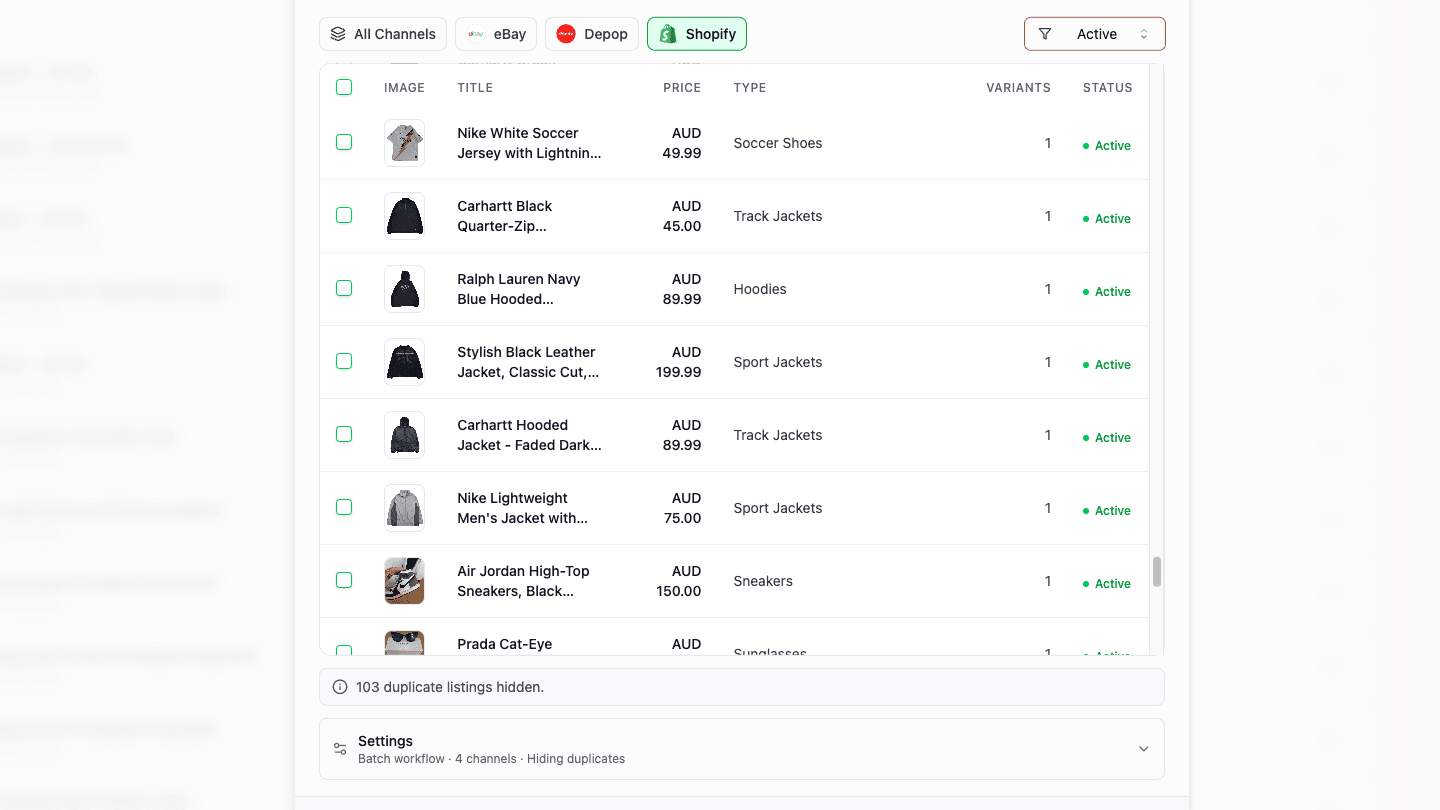
Supported Sources
Imports active and historical listings with full item specifics — condition, brand, size, colour, and category data.
Imports listings with full attribute enrichment — colour, condition, brand, material, and pricing including shipping costs.
Imports products with all metadata intact — variants, pricing, inventory levels, and images.
How It Works
- Open the import modal from your dashboard
- Browse your marketplace listings with filtering and pagination
- Select items individually or in bulk
- Shopfront enriches each listing with marketplace-specific data
- AI matches categories across your connected channels
- Products appear in your Shopfront inventory, ready to cross-list
What Happens During Import
- Enrichment — Shopfront fetches detailed product data from each marketplace's API, pulling in attributes that aren't available from basic listing data
- Category matching — AI maps your existing marketplace categories to all your connected channels
- Image download — Product photos are downloaded and stored in your Shopfront account
- Duplicate detection — Already-imported listings are flagged to prevent duplicates
You can import up to 5,000 products per job. For historical/sold listings, category matching is skipped to reduce processing costs.
Bulk Export
Export your Shopfront catalogue to marketplace-compatible CSV formats.
Supported Formats
Seller Hub compatible CSV with dynamic item specifics columns. Ready to upload directly to eBay.
Multi-file format, automatically split for large inventories. Handles Depop's upload limits for you.
Export Options
- Export your entire catalogue or filter by specific workflows
- Products in any status can be exported (including drafts and error states)
- Up to 5,000 products per export
- CSV downloads directly to your browser — no server-side files to manage