Features
Scheduling & Auto Relisting
Schedule listings to go live at the right time. Auto-relist on a recurring schedule to stay visible in marketplace search results.
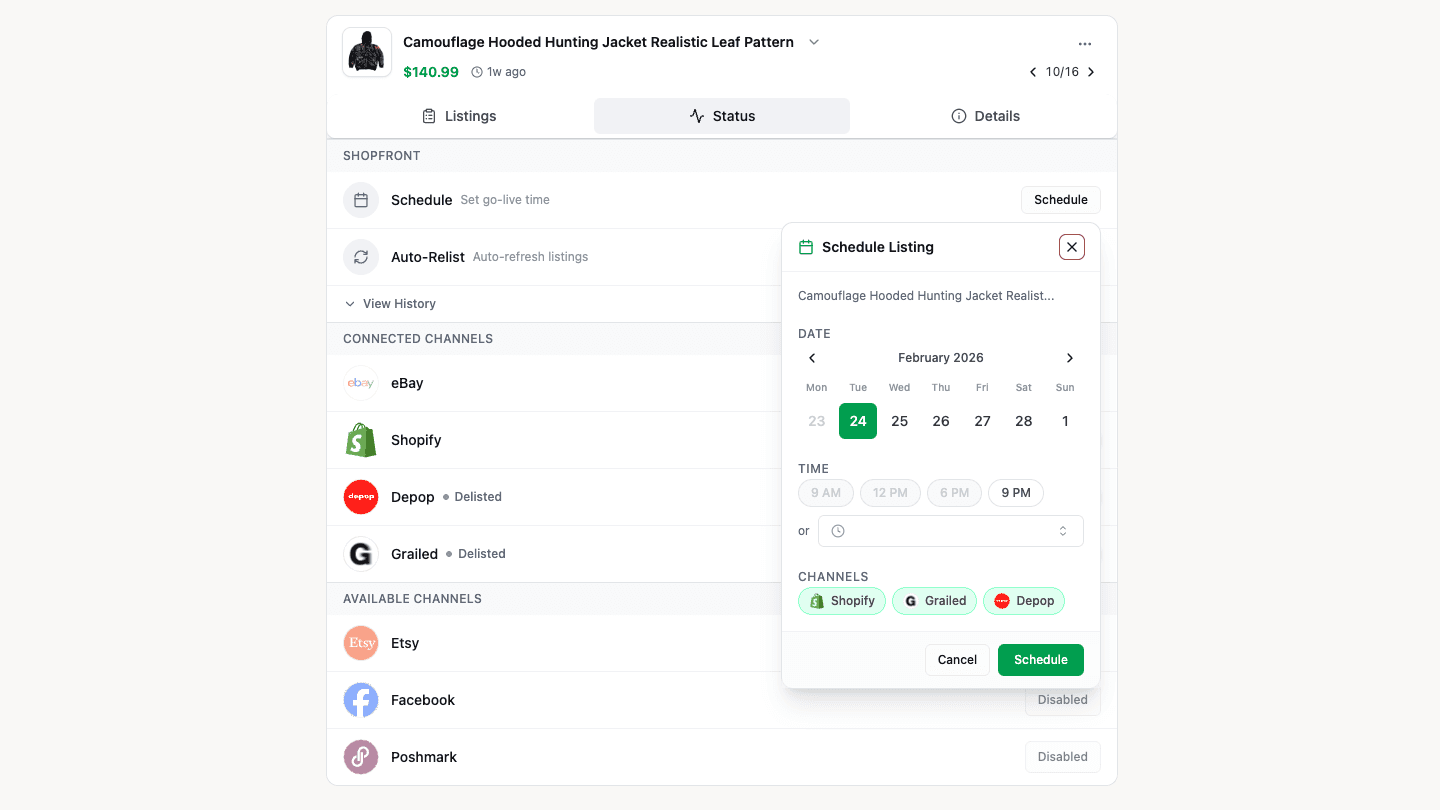
Scheduling
Publish your listings at the perfect time. Schedule individual products or entire batches to go live at a specific date and time.
- Choose which channels to publish to per scheduled listing
- Schedule from the product detail view or in bulk from a workflow
- Scheduled listings stay in draft until their publish time
- A background process checks every 5 minutes and publishes listings that are due
Useful for timing around peak marketplace traffic or coordinating drops across channels.
How to Schedule
- Open a product or select multiple products in a workflow
- Click Schedule and pick a date, time, and channels
- The listing stays in draft with a scheduled badge
- At the scheduled time, Shopfront publishes to your selected channels
You can cancel or reschedule at any time before the listing goes live.
Auto Relisting
Marketplace algorithms favour fresh listings. Auto-relisting removes and republishes your listings on a recurring schedule to keep them visible in search results.
How It Works
- Set a relist interval (e.g., every 7 days) and a preferred time of day
- Shopfront automatically delists the item from all channels
- After delisting completes, the item is republished with fresh timestamps
- The cycle repeats on your chosen interval
What Gets Tracked
- Relist count — How many times a product has been relisted
- Last relist — When the most recent relist occurred
- Next relist — When the next automatic relist is scheduled
Manual Relisting
You can also relist on demand:
- Single product — Click Relist from the product detail view
- Bulk relist — Select multiple products or click Relist All in a workflow